Workspaces
Reimagining how teams collaborate on digital experience data. A centralized hub for organizing, sharing, and acting on insights.
Workspaces
Reimagining how teams collaborate on digital experience data. A centralized hub for organizing, sharing, and acting on insights.
Workspaces
Reimagining how teams collaborate on digital experience data. A centralized hub for organizing, sharing, and acting on insights.
Workspaces
Reimagining how teams collaborate on digital experience data. A centralized hub for organizing, sharing, and acting on insights.
Staff Product
Designer
Staff Product Designer
Fullstory
Fullstory
2024
2024
Enterprise
01
Summary
Summary
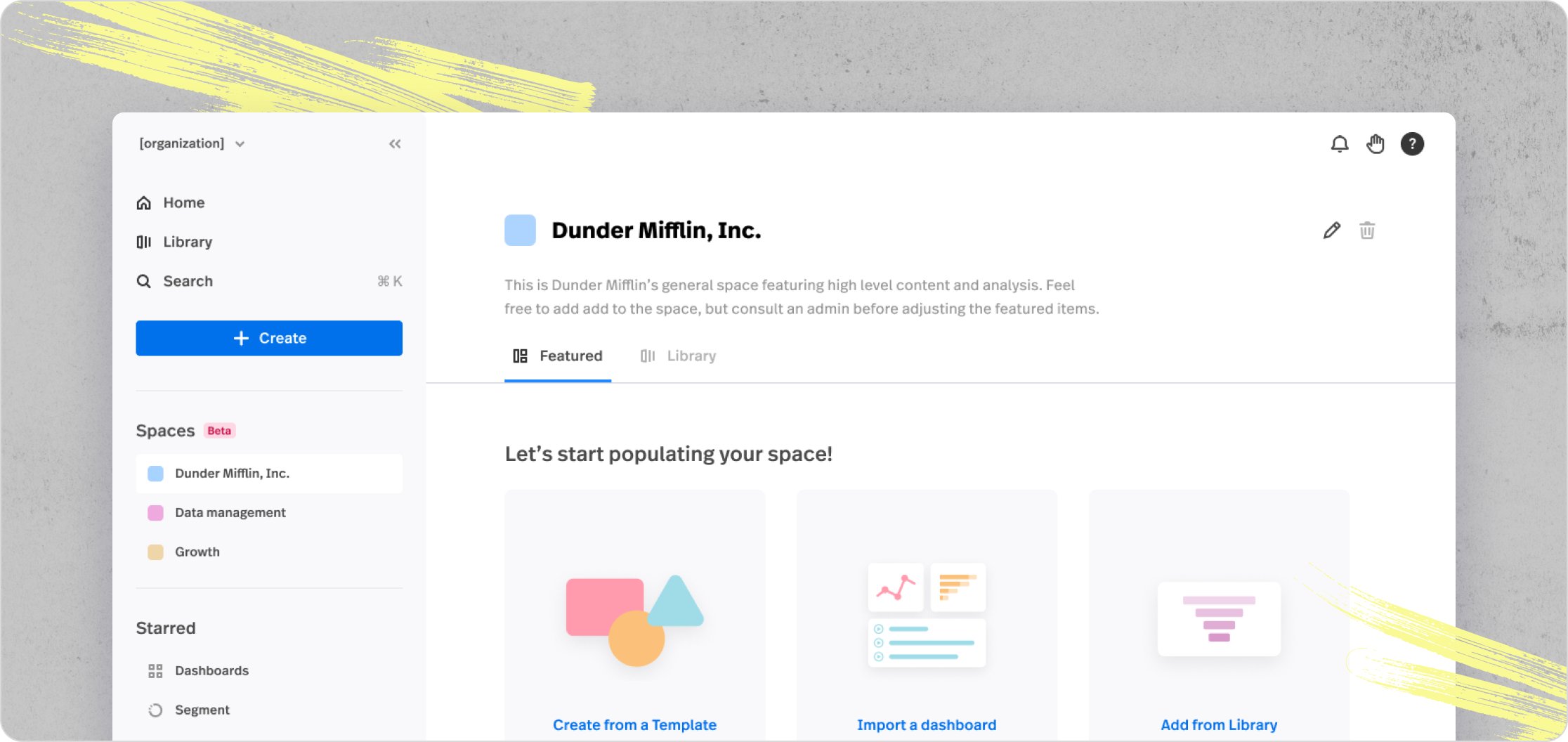
In an effort to enhance user activation, the “Spaces” project set out to provide new users with access to colleague-created workspaces that were populated with relevant data and insights.
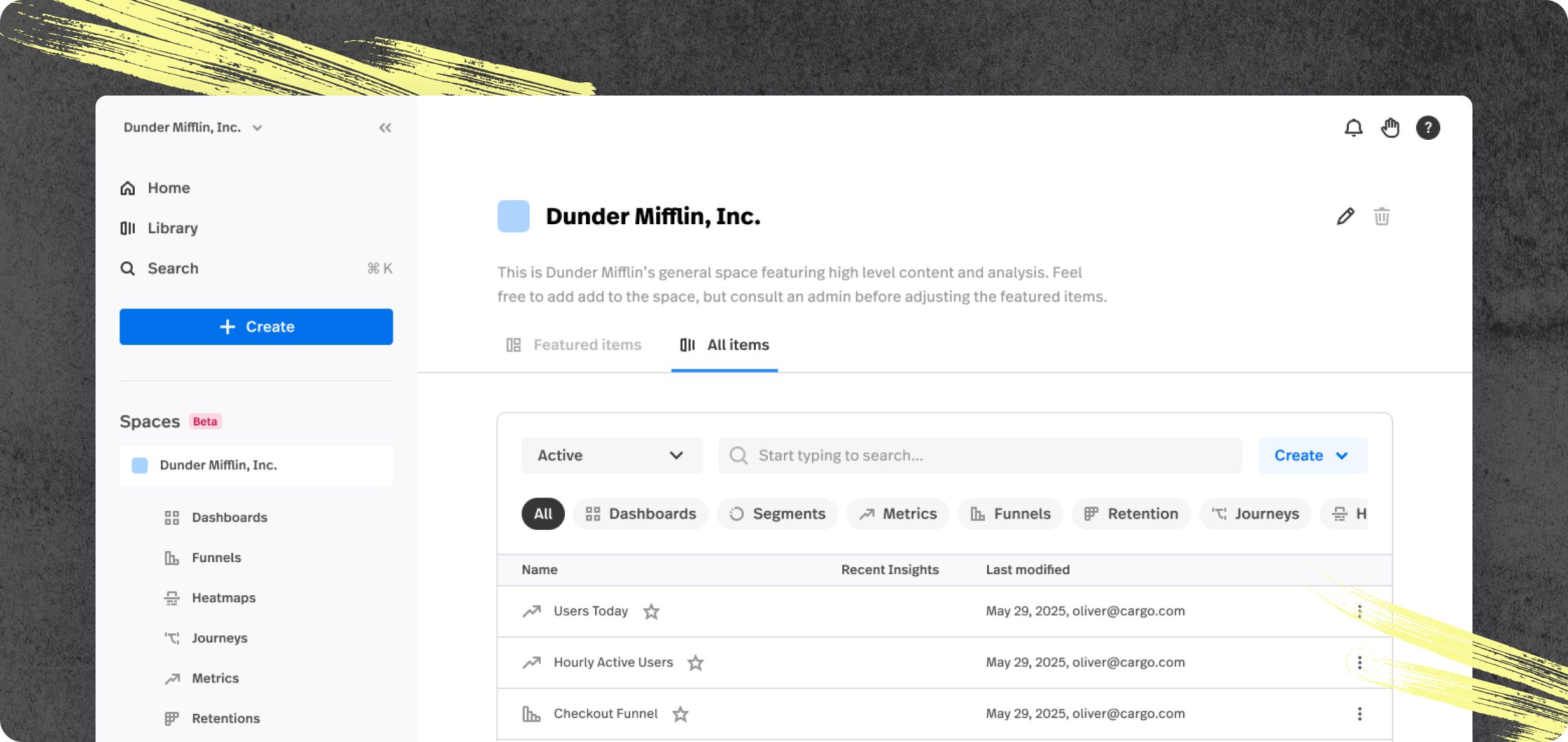
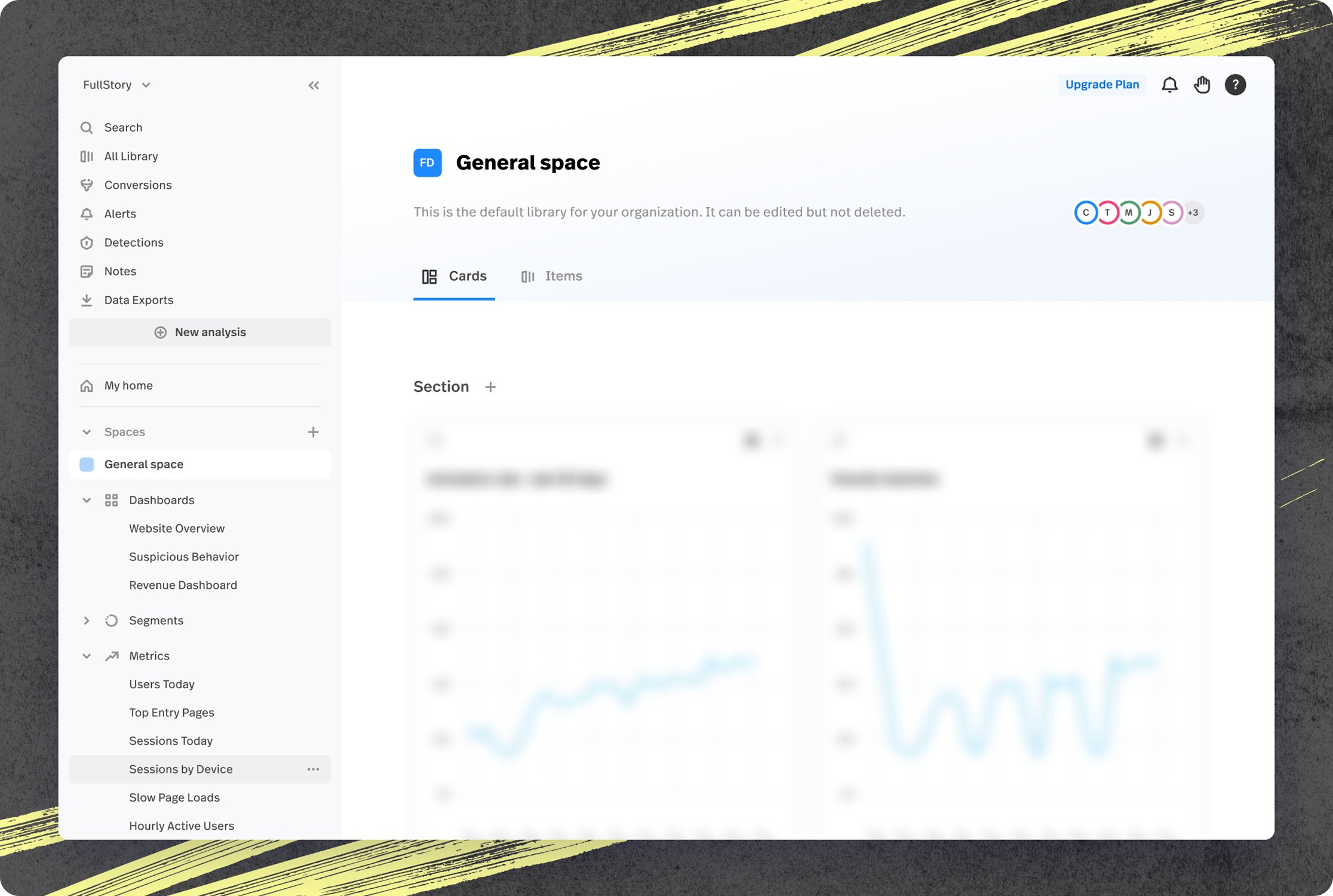
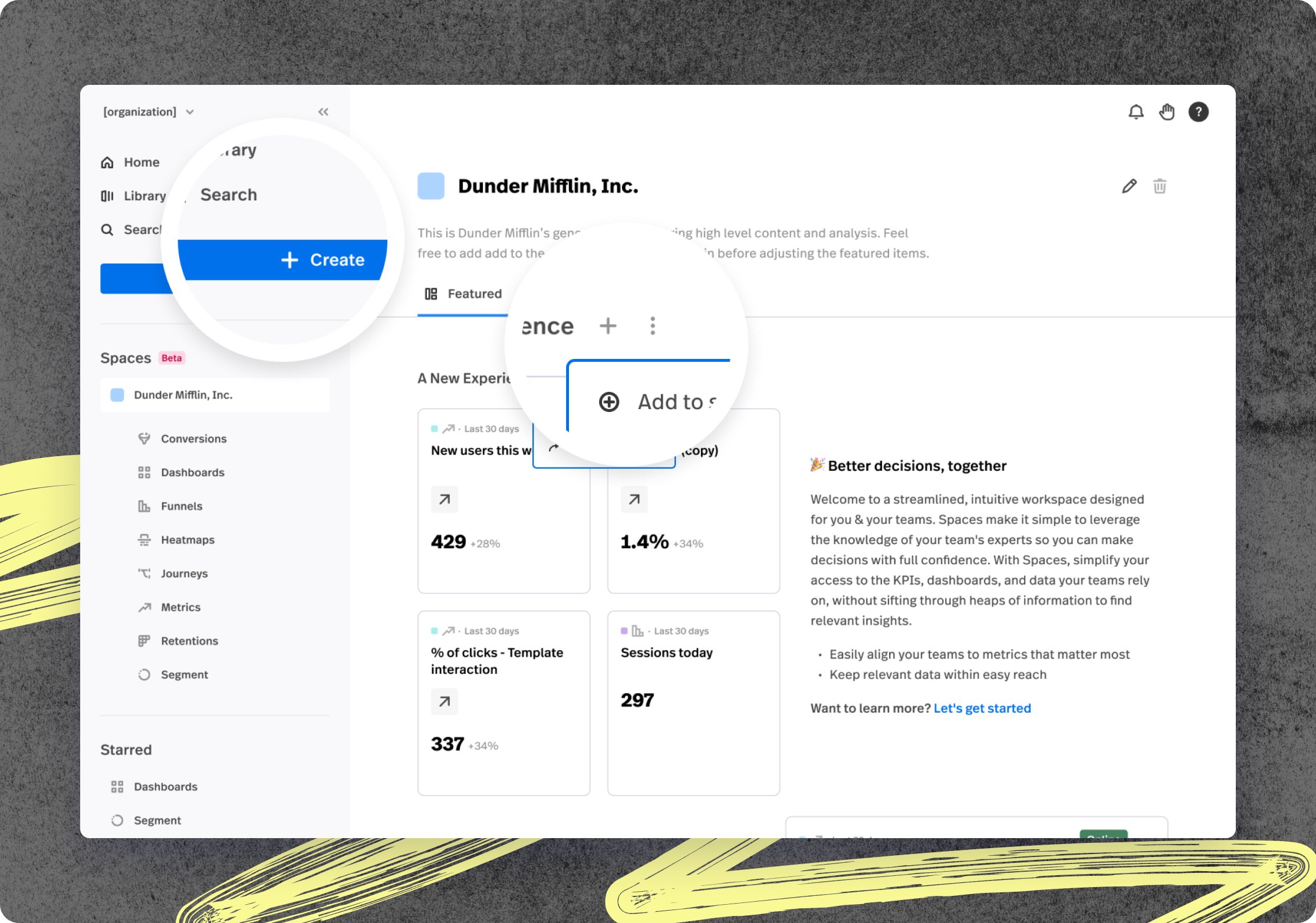
Spaces was the sum of a robust feature set including massive updates to our global navigation, a new surface area in the app for shared workspaces, new flows for managing objects’ owning spaces, and more. Spaces launched early in 2024 and is currently available to all Enterprise customers at FullStory.
Problem
Struggling to Access Relevant Data Hinders Activation
New Enterprise FullStory users often struggle to find data and objects relevant to their needs, making it harder to quickly realize the platform’s value. This challenge during a crucial stage of the customer journey has contributed to lower activation rates.

01
Summary
Summary
In an effort to enhance user activation, the “Spaces” project set out to provide new users with access to colleague-created workspaces that were populated with relevant data and insights.
Spaces was the sum of a robust feature set including massive updates to our global navigation, a new surface area in the app for shared workspaces, new flows for managing objects’ owning spaces, and more. Spaces launched early in 2024 and is currently available to all Enterprise customers at FullStory.
Problem
Struggling to Access Relevant Data Hinders Activation
New Enterprise FullStory users often struggle to find data and objects relevant to their needs, making it harder to quickly realize the platform’s value. This challenge during a crucial stage of the customer journey has contributed to lower activation rates.
01
Summary
Summary
In an effort to enhance user activation, the “Spaces” project set out to provide new users with access to colleague-created workspaces that were populated with relevant data and insights.
Spaces was the sum of a robust feature set including massive updates to our global navigation, a new surface area in the app for shared workspaces, new flows for managing objects’ owning spaces, and more. Spaces launched early in 2024 and is currently available to all Enterprise customers at FullStory.
Problem
Struggling to Access Relevant Data Hinders Activation
New Enterprise FullStory users often struggle to find data and objects relevant to their needs, making it harder to quickly realize the platform’s value. This challenge during a crucial stage of the customer journey has contributed to lower activation rates.
01
Summary
Summary
In an effort to enhance user activation, the “Spaces” project set out to provide new users with access to colleague-created workspaces that were populated with relevant data and insights.
Spaces was the sum of a robust feature set including massive updates to our global navigation, a new surface area in the app for shared workspaces, new flows for managing objects’ owning spaces, and more. Spaces launched early in 2024 and is currently available to all Enterprise customers at FullStory.
Problem
Struggling to Access Relevant Data Hinders Activation
New Enterprise FullStory users often struggle to find data and objects relevant to their needs, making it harder to quickly realize the platform’s value. This challenge during a crucial stage of the customer journey has contributed to lower activation rates.

02
Context
the four key problem areas we focused on
For years, feedback from customers and prospects consistently highlighted the underlying need for more semantic structure to the way objects within Fullstory were displayed.
Navigation
Numerous collaborative frameworks and models have been utilized to enhance the operational effectiveness of this project's path.
Discovery
A variety of integrated systems and methodologies have been employed to boost the operational productivity of this initiative's course.
Space management
An array of cooperative structures and strategies have been harnessed to improve the operational performance of this program's direction.
Activation
A myriad of synergistic frameworks and paradigms have been leveraged to catalyze the operational efficiencies of this initiative's trajectory.
Goals
Primary
Increase activation
New Enterprise FullStory users often struggle to find data and objects relevant to their needs, making it harder to quickly realize the platform’s value. This challenge during a crucial stage of the customer journey has contributed to lower activation rates.
Secondary
Improve navigation
Our goal was to enable new users to quickly find relevant data and objects upon signing in. By streamlining access, we aimed to boost activation metrics and establish a foundation for future collaboration-focused features.

02
Context
the four key problem areas we focused on
For years, feedback from customers and prospects consistently highlighted the underlying need for more semantic structure to the way objects within Fullstory were displayed.
Navigation
Numerous collaborative frameworks and models have been utilized to enhance the operational effectiveness of this project's path.
Discovery
A variety of integrated systems and methodologies have been employed to boost the operational productivity of this initiative's course.
Space management
An array of cooperative structures and strategies have been harnessed to improve the operational performance of this program's direction.
Activation
A myriad of synergistic frameworks and paradigms have been leveraged to catalyze the operational efficiencies of this initiative's trajectory.
Goals
Primary
Increase activation
New Enterprise FullStory users often struggle to find data and objects relevant to their needs, making it harder to quickly realize the platform’s value. This challenge during a crucial stage of the customer journey has contributed to lower activation rates.
Secondary
Improve navigation
Our goal was to enable new users to quickly find relevant data and objects upon signing in. By streamlining access, we aimed to boost activation metrics and establish a foundation for future collaboration-focused features.

02
Context
the four key problem areas we focused on
For years, feedback from customers and prospects consistently highlighted the underlying need for more semantic structure to the way objects within Fullstory were displayed.
Navigation
Numerous collaborative frameworks and models have been utilized to enhance the operational effectiveness of this project's path.
Discovery
A variety of integrated systems and methodologies have been employed to boost the operational productivity of this initiative's course.
Space management
An array of cooperative structures and strategies have been harnessed to improve the operational performance of this program's direction.
Activation
A myriad of synergistic frameworks and paradigms have been leveraged to catalyze the operational efficiencies of this initiative's trajectory.
Goals
Primary
Increase activation
New Enterprise FullStory users often struggle to find data and objects relevant to their needs, making it harder to quickly realize the platform’s value. This challenge during a crucial stage of the customer journey has contributed to lower activation rates.
Secondary
Improve navigation
Our goal was to enable new users to quickly find relevant data and objects upon signing in. By streamlining access, we aimed to boost activation metrics and establish a foundation for future collaboration-focused features.

02
Context
the four key problem areas we focused on
For years, feedback from customers and prospects consistently highlighted the underlying need for more semantic structure to the way objects within Fullstory were displayed.
Navigation
Numerous collaborative frameworks and models have been utilized to enhance the operational effectiveness of this project's path.
Discovery
A variety of integrated systems and methodologies have been employed to boost the operational productivity of this initiative's course.
Space management
An array of cooperative structures and strategies have been harnessed to improve the operational performance of this program's direction.
Activation
A myriad of synergistic frameworks and paradigms have been leveraged to catalyze the operational efficiencies of this initiative's trajectory.
Goals
Primary
Increase activation
New Enterprise FullStory users often struggle to find data and objects relevant to their needs, making it harder to quickly realize the platform’s value. This challenge during a crucial stage of the customer journey has contributed to lower activation rates.
Secondary
Improve navigation
Our goal was to enable new users to quickly find relevant data and objects upon signing in. By streamlining access, we aimed to boost activation metrics and establish a foundation for future collaboration-focused features.
03
Process
01
Initial Insight
02
Discovery
Led cross-functional alignment using the Team Expectations Template (TET) to define the problem space, establish KPIs, and identify solution opportunities. Created a Decision Log to track open questions with RACI assignments, ensuring clear ownership and accountability throughout the project.
03
Development + Refinement
04
Pre-Launch
05
Launch
06
Post-Launch
03
Process
Initial Insight
Discovery
Development + Refinement
Pre-Launch
Launch
Post-Launch
03
Process
01
Initial Insight
02
Discovery
Led cross-functional alignment using the Team Expectations Template (TET) to define the problem space, establish KPIs, and identify solution opportunities. Created a Decision Log to track open questions with RACI assignments, ensuring clear ownership and accountability throughout the project.
03
Development + Refinement
04
Pre-Launch
05
Launch
06
Post-Launch
03
Process
01
Initial Insight
02
Discovery
Led cross-functional alignment using the Team Expectations Template (TET) to define the problem space, establish KPIs, and identify solution opportunities. Created a Decision Log to track open questions with RACI assignments, ensuring clear ownership and accountability throughout the project.
03
Development + Refinement
04
Pre-Launch
05
Launch
06
Post-Launch
04
Research + Validation

Getting close to how Enterprise teams actually used FullStory day-to-day was the starting point.
User Interviews
Conducted interviews with new Enterprise customers to understand their onboarding experience and identify friction points in discovering and organizing FullStory data.
Cross-functional Input
Analyzed session recordings of new users navigating the product to identify where they struggled, abandoned tasks, or showed signs of confusion.
Quantitative Data
Examined activation metrics and user behavior patterns to quantify the impact of poor workspace organization and feature discovery.
Design System Mandate
Collaborated with Sales, Customer Success, and Support teams to gather insights from customer conversations and identify common pain points across the user base.
Validation
We validated incrementally, not all at once. Each phase had its own questions to answer.
Alpha
Private beta
General Availability

Featured items
Launched to a limited group of Enterprise customers who had expressed interest in better workspace organization. Beta testing revealed the importance of the empty state experience.

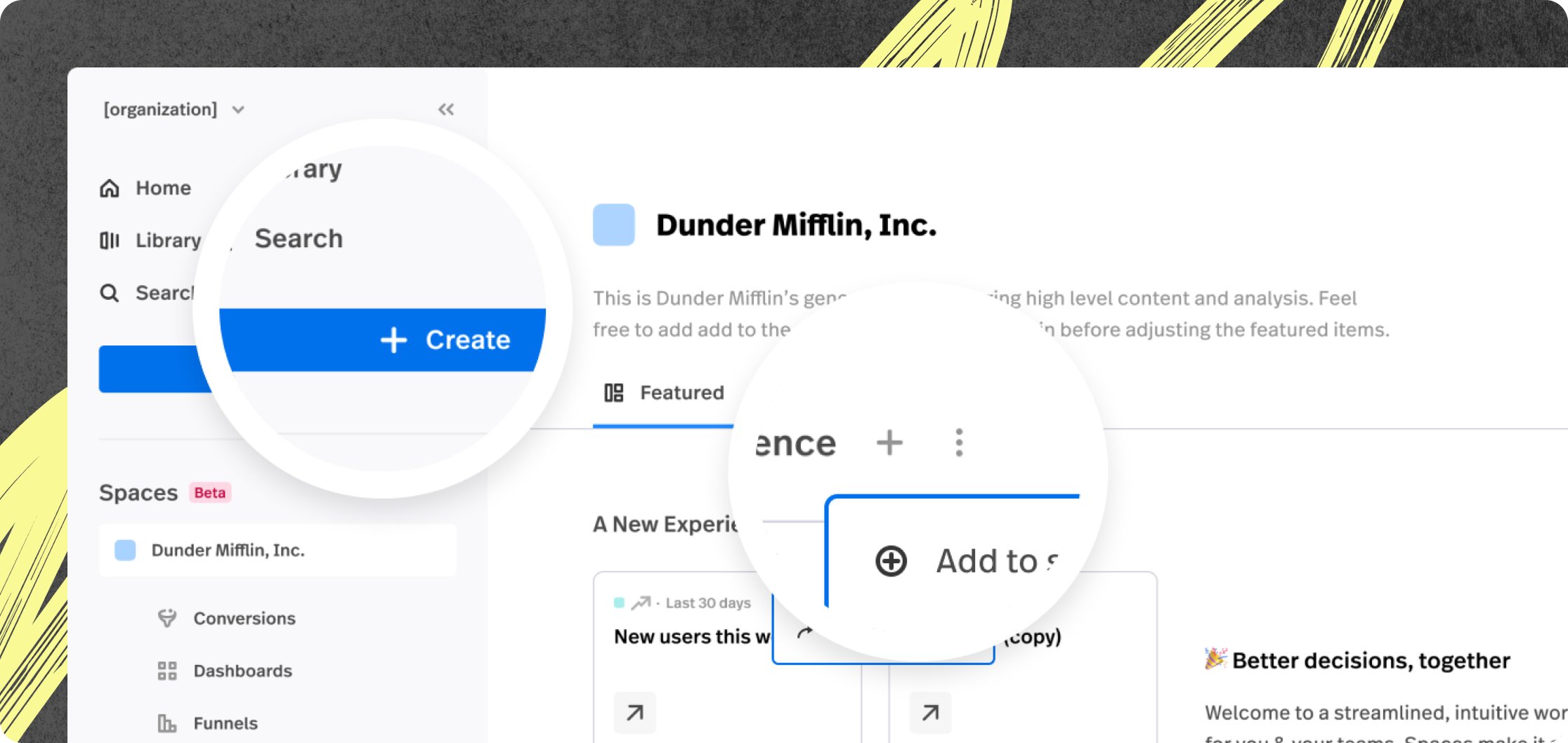
Clear add & Create
Alpha testing highlighted confusion between creating and adding objects. To address this, we standardized ‘Create’ for making new objects, always paired with a plus sign, and ‘Add’ for incorporating existing ones, using a plus-in-circle icon. This approach improved clarity while keeping interactions intuitive and consistent.

04
Research + Validation

Getting close to how Enterprise teams actually used FullStory day-to-day was the starting point.
User Interviews
Conducted interviews with new Enterprise customers to understand their onboarding experience and identify friction points in discovering and organizing FullStory data.
Cross-functional Input
Analyzed session recordings of new users navigating the product to identify where they struggled, abandoned tasks, or showed signs of confusion.
Quantitative Data
Examined activation metrics and user behavior patterns to quantify the impact of poor workspace organization and feature discovery.
Design System Mandate
Collaborated with Sales, Customer Success, and Support teams to gather insights from customer conversations and identify common pain points across the user base.
Validation
We validated incrementally, not all at once. Each phase had its own questions to answer.
Alpha
Private beta
General Availability

Alpha permutation
Rolled out Spaces to internal FullStory teams first. This phase helped us validate core functionality, identify technical issues, and refine the workspace creation flow based on how our own teams used the feature. Internal feedback shaped key decisions around navigation hierarchy and default workspace settings.
04
Research + Validation

Getting close to how Enterprise teams actually used FullStory day-to-day was the starting point.
User Interviews
Conducted interviews with new Enterprise customers to understand their onboarding experience and identify friction points in discovering and organizing FullStory data.
Cross-functional Input
Analyzed session recordings of new users navigating the product to identify where they struggled, abandoned tasks, or showed signs of confusion.
Quantitative Data
Examined activation metrics and user behavior patterns to quantify the impact of poor workspace organization and feature discovery.
Design System Mandate
Collaborated with Sales, Customer Success, and Support teams to gather insights from customer conversations and identify common pain points across the user base.
Validation
We validated incrementally, not all at once. Each phase had its own questions to answer.
Alpha
Private beta
General Availability

Featured items
Launched to a limited group of Enterprise customers who had expressed interest in better workspace organization. Beta testing revealed the importance of the empty state experience.

Clear add & Create
Alpha testing highlighted confusion between creating and adding objects. To address this, we standardized ‘Create’ for making new objects, always paired with a plus sign, and ‘Add’ for incorporating existing ones, using a plus-in-circle icon. This approach improved clarity while keeping interactions intuitive and consistent.

04
Research + Validation

Getting close to how Enterprise teams actually used FullStory day-to-day was the starting point.
User Interviews
Conducted interviews with new Enterprise customers to understand their onboarding experience and identify friction points in discovering and organizing FullStory data.
Cross-functional Input
Analyzed session recordings of new users navigating the product to identify where they struggled, abandoned tasks, or showed signs of confusion.
Quantitative Data
Examined activation metrics and user behavior patterns to quantify the impact of poor workspace organization and feature discovery.
Design System Mandate
Collaborated with Sales, Customer Success, and Support teams to gather insights from customer conversations and identify common pain points across the user base.
Validation
We validated incrementally, not all at once. Each phase had its own questions to answer.
Alpha
Private beta
General Availability

Alpha permutation
Rolled out Spaces to internal FullStory teams first. This phase helped us validate core functionality, identify technical issues, and refine the workspace creation flow based on how our own teams used the feature. Internal feedback shaped key decisions around navigation hierarchy and default workspace settings.

05
Solution
001 / 004
The Profiling Flow

The Profiling Flow
These profiling questions were a top priority for Product Marketing. The data helped build a clearer picture of who Vimeo's new users actually were and what they intended to do with the platform.
—
The three questions were designed to be low-friction and feel purposeful. Use case, role, and team size. Each page had a Skip option so users never felt trapped. The data collected here became the input for personalization in later experiments.


05
Solution
001 / 004
The Profiling Flow

The Profiling Flow
These profiling questions were a top priority for Product Marketing. The data helped build a clearer picture of who Vimeo's new users actually were and what they intended to do with the platform.
—
The three questions were designed to be low-friction and feel purposeful. Use case, role, and team size. Each page had a Skip option so users never felt trapped. The data collected here became the input for personalization in later experiments.


05
Solution
001 / 004
The Profiling Flow

The Profiling Flow
These profiling questions were a top priority for Product Marketing. The data helped build a clearer picture of who Vimeo's new users actually were and what they intended to do with the platform.
—
The three questions were designed to be low-friction and feel purposeful. Use case, role, and team size. Each page had a Skip option so users never felt trapped. The data collected here became the input for personalization in later experiments.


05
Solution
001 / 004
The Profiling Flow

The Profiling Flow
These profiling questions were a top priority for Product Marketing. The data helped build a clearer picture of who Vimeo's new users actually were and what they intended to do with the platform.
—
The three questions were designed to be low-friction and feel purposeful. Use case, role, and team size. Each page had a Skip option so users never felt trapped. The data collected here became the input for personalization in later experiments.

06
Results
First day registration rate
Lift in first day homepage visits after registration
Lift in first week homepage visits after registration
06
Results
First day registration rate
Lift in first day homepage visits after registration
Lift in first week homepage visits after registration
06
Results
First day registration rate
Lift in first day homepage visits after registration
Lift in first week homepage visits after registration
06
Results
First day registration rate
Lift in first day homepage visits after registration
Lift in first week homepage visits after registration
07
Reflections
Sequencing as a Design Strategy
Breaking a large registration redesign into three experiments wasn't just a risk-mitigation tactic. It was a way of learning incrementally. Each experiment gave us a cleaner signal about what was working and what wasn't. The tradeoff was speed. It took longer to ship the full vision. But the data quality at each stage was significantly better than it would have been from a single large change.
Profiling questions with a strategic plan
The customer profiling flow started as something Product Marketing needed. But it became the input that made personalization possible in experiments 2 and 3. It shifted from a data collection step to a decision-making input. That was one of the more interesting design problems in the project. The skip rate on those questions was something we were still working to reduce when I left.

Building the Thumbnail Wall
The registration flow included an automatically scrolling wall of video thumbnails in the background. That piece required more infrastructure than it might look like. I set up read-only access to an internal spreadsheet tracking which videos we had the rights to use. I built a Figma workspace that would import thumbnails and size them for both desktop and mobile layouts.
That same workspace also exported the atomic pieces a designer would need to update the After Effects animation. The After Effects file itself was templated so that swapping in new thumbnails only required replacing one source file. The whole system was designed so that a future designer could maintain it without rebuilding anything from scratch.
A note on the future
Future work on this project would have focused on reducing skip rates on the profiling questions, refining the questions themselves, and continuing to test how the answers could make plan selection more effective.
07
Reflections
Sequencing as a Design Strategy
Breaking a large registration redesign into three experiments wasn't just a risk-mitigation tactic. It was a way of learning incrementally. Each experiment gave us a cleaner signal about what was working and what wasn't. The tradeoff was speed. It took longer to ship the full vision. But the data quality at each stage was significantly better than it would have been from a single large change.
Profiling questions with a strategic plan
The customer profiling flow started as something Product Marketing needed. But it became the input that made personalization possible in experiments 2 and 3. It shifted from a data collection step to a decision-making input. That was one of the more interesting design problems in the project. The skip rate on those questions was something we were still working to reduce when I left.

Building the Thumbnail Wall
The registration flow included an automatically scrolling wall of video thumbnails in the background. That piece required more infrastructure than it might look like. I set up read-only access to an internal spreadsheet tracking which videos we had the rights to use. I built a Figma workspace that would import thumbnails and size them for both desktop and mobile layouts.
That same workspace also exported the atomic pieces a designer would need to update the After Effects animation. The After Effects file itself was templated so that swapping in new thumbnails only required replacing one source file. The whole system was designed so that a future designer could maintain it without rebuilding anything from scratch.
A note on the future
Future work on this project would have focused on reducing skip rates on the profiling questions, refining the questions themselves, and continuing to test how the answers could make plan selection more effective.
07
Reflections
Sequencing as a Design Strategy
Breaking a large registration redesign into three experiments wasn't just a risk-mitigation tactic. It was a way of learning incrementally. Each experiment gave us a cleaner signal about what was working and what wasn't. The tradeoff was speed. It took longer to ship the full vision. But the data quality at each stage was significantly better than it would have been from a single large change.
Profiling questions with a strategic plan
The customer profiling flow started as something Product Marketing needed. But it became the input that made personalization possible in experiments 2 and 3. It shifted from a data collection step to a decision-making input. That was one of the more interesting design problems in the project. The skip rate on those questions was something we were still working to reduce when I left.

Building the Thumbnail Wall
The registration flow included an automatically scrolling wall of video thumbnails in the background. That piece required more infrastructure than it might look like. I set up read-only access to an internal spreadsheet tracking which videos we had the rights to use. I built a Figma workspace that would import thumbnails and size them for both desktop and mobile layouts.
That same workspace also exported the atomic pieces a designer would need to update the After Effects animation. The After Effects file itself was templated so that swapping in new thumbnails only required replacing one source file. The whole system was designed so that a future designer could maintain it without rebuilding anything from scratch.
A note on the future
Future work on this project would have focused on reducing skip rates on the profiling questions, refining the questions themselves, and continuing to test how the answers could make plan selection more effective.
07
Reflections
Sequencing as a Design Strategy
Breaking a large registration redesign into three experiments wasn't just a risk-mitigation tactic. It was a way of learning incrementally. Each experiment gave us a cleaner signal about what was working and what wasn't. The tradeoff was speed. It took longer to ship the full vision. But the data quality at each stage was significantly better than it would have been from a single large change.
Profiling questions with a strategic plan
The customer profiling flow started as something Product Marketing needed. But it became the input that made personalization possible in experiments 2 and 3. It shifted from a data collection step to a decision-making input. That was one of the more interesting design problems in the project. The skip rate on those questions was something we were still working to reduce when I left.

Building the Thumbnail Wall
The registration flow included an automatically scrolling wall of video thumbnails in the background. That piece required more infrastructure than it might look like. I set up read-only access to an internal spreadsheet tracking which videos we had the rights to use. I built a Figma workspace that would import thumbnails and size them for both desktop and mobile layouts.
That same workspace also exported the atomic pieces a designer would need to update the After Effects animation. The After Effects file itself was templated so that swapping in new thumbnails only required replacing one source file. The whole system was designed so that a future designer could maintain it without rebuilding anything from scratch.
A note on the future
Future work on this project would have focused on reducing skip rates on the profiling questions, refining the questions themselves, and continuing to test how the answers could make plan selection more effective.